Snugby is a free desktop pet for Mac, and the cat doesn't stay stuck on your Mac. 77 is one cat that lives on your Mac, your Windows PC, your iPhone and your Apple Watch, but only on one screen at a time. Whichever device you pick up, 77 walks over, and the others keep a note saying where it went. The Mac app is a free download for macOS 14 or later, on Apple Silicon and Intel.
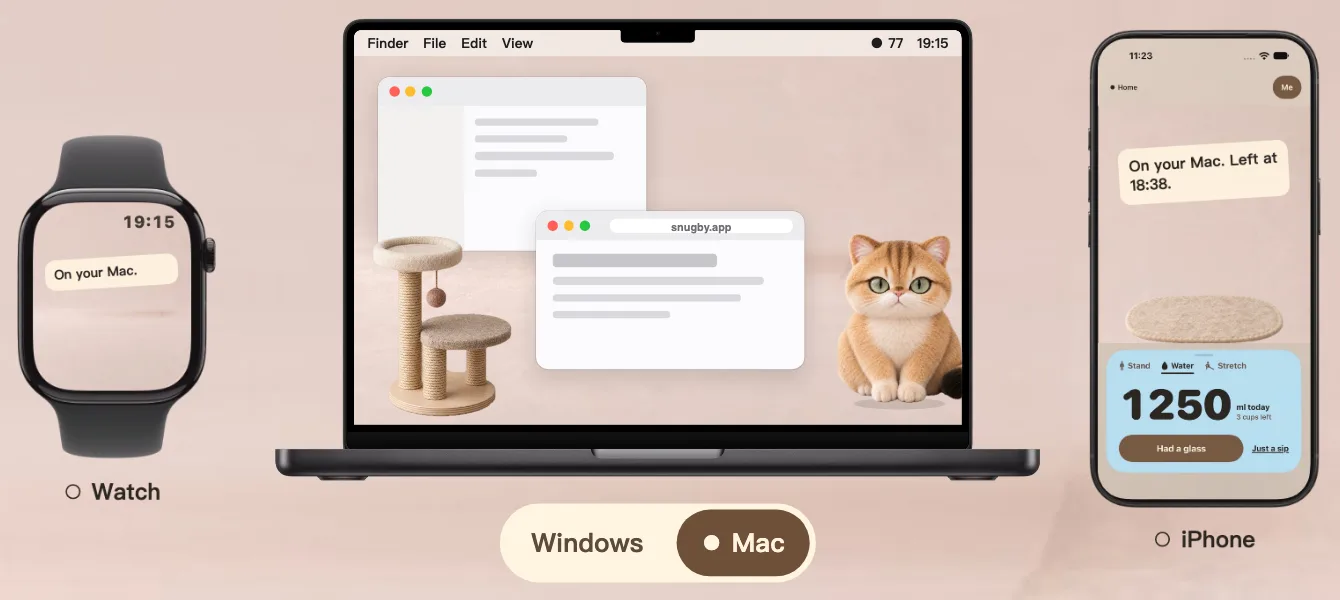
One cat shared across Mac, Windows, iPhone and Apple Watch
Most desktop pets are one app on one computer. Snugby starts from the other end: you have one pet, and each device you own is a room it can walk into.
- Mac and Windows run the same 77, with the same motions and the same name.
- iPhone is 77's home den, where it stretches and drinks water with you.
- Apple Watch is where it finds you when you've been sitting too long: it walks off your desktop and taps your wrist.
- It never splits in two. If the device it's heading to doesn't confirm within 10 seconds, 77 walks back to where it started.
- A custom pet travels the same way. A pet made from photos of your own cat or dog moves across the same screens.
Linking devices goes through the iPhone app, which is coming to the App Store soon. Until then, the Mac app works fine on its own, and your 77 joins the others the day you link them.
What the desktop pet for Mac does on your screen
- Sits on top of your window. 77 climbs onto the top edge of the window in front. Switch apps and it walks over.
- Lives on a cat tree along the bottom of the screen when there's no window to sit on.
- Chases your cursor when you ask. Hold the Option key (you can change it) and the pointer turns into a teaser wand.
- Shows up in the menu bar as a small ● 77, so you always know which device it's on.
- Moves like a real cat. All 25 core motions are free, and none of them are cartoon gestures.
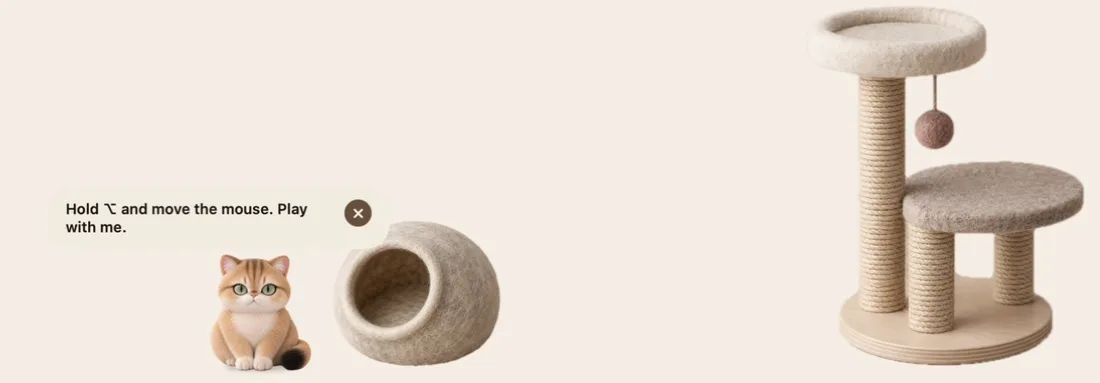
It stays out of the way
The playground is transparent. Every pixel outside 77 and its furniture lets your clicks through, so it never covers a button. Play a video fullscreen and 77 tucks itself away until you're done.
It doesn't watch what you do, either. The Mac app reads how many seconds have passed since your last key press or mouse move, and where your windows are so 77 knows where to sit. It never logs keystrokes, records the screen, or reads window contents or file names. The full list is in the Snugby privacy policy.
Install the Mac desktop pet in three steps
- Download the .dmg from the Mac card below and drag Snugby into Applications.
- Open it. 77 walks in from the edge of the screen and picks a window.
- When you want the same cat on other devices, install Snugby on Windows, and on iPhone and Apple Watch once they're out. See which devices Snugby supports.
Free and Pro on Mac
| Free | Snugby Pro | |
|---|---|---|
| Pets | 77, forever | Also Toto and 11 |
| Motions | All 25 core motions | Ongoing motion updates |
| Desktop props | A cat tree | 13 more cat trees, wands, beds and props |
| Typing extras | Basic typing companion | Text-line hopping and 3 typing packs |
| Price | $0 | $3.99 a month, $16.99 a year with a 7-day trial, or $45.99 once |
Pro covers every device you link, not just the Mac. Details on the Snugby pricing page.
Questions people ask
Is the Mac desktop pet free?
Yes. 77 and all 25 core motions are free forever. Snugby Pro adds Toto, 11 and extra desktop props.
Does it work on Intel Macs?
Yes. It runs on macOS 14 or later, on both Apple Silicon and Intel Macs.
Can the same cat be on my Mac and my Windows PC?
Yes, that's how Snugby is built: one cat that walks to whichever device you're using. Linking goes through the iPhone app, which is coming to the App Store soon.
Can I use my own cat instead of 77?
Yes. We make a custom pet from photos of your cat or dog, and it moves across the same devices as 77.